App comparison
Best iPhone Customization Apps for Icons, Widgets and Themes
Compare built-in iOS tools with Widgetsmith, Widgy, Color Widgets, ScreenKit, Brass and Aquarium Widgets, and pick the right app for icons, widgets or full themes.
Start with what iOS already includes: the Customize menu for icon colors, the Shortcuts app for custom icons and the wallpaper gallery. Then add one app for the job you want: Widgetsmith or Widgy for widgets, Color Widgets, ScreenKit or Brass for full themes, and Aquarium Widgets for a living aquarium. Every app here is free to download, but check each listing for in-app purchases before you build a whole setup around one.
Quick comparison
| App | Best for | Keep in mind |
|---|---|---|
| Built-in iOS tools | Icon colors, custom icons, wallpapers | No download; fewer design options |
| Widgetsmith | Photo, countdown and weather widgets | You style each widget yourself |
| Widgy | Detailed widgets built from layers | Takes longer to set up |
| Color Widgets | Matching widgets, icon packs and wallpapers | Check which designs need an upgrade |
| ScreenKit | Complete icon and widget themes | Needs a recent iOS version |
| Brass | Icon themes and widgets | Check how icons are installed |
| Aquarium Widgets | An animated aquarium with an optional clock or calendar | Home Screen widgets require premium |
Built in: Customize, Shortcuts and wallpapers
Before installing anything, try the tools in iOS. On iOS 27 the Home Screen’s Customize menu switches every icon to Dark, Clear or a single tint, as shown in Apple’s customization guide ↗. For a picture on a single app, the Shortcuts app lets you add a shortcut to the Home Screen with a photo as its icon, according to Apple’s Shortcuts guide ↗. Our step-by-step guide on how to change app icons on iPhone covers both.
Widget makers
Widgetsmith builds widgets for photos, countdowns, music and weather, and includes wallpapers with a tool to theme widgets to match, according to its App Store listing ↗. It is a good first choice for a personal photo or information screen.
Widgy lets you arrange text, photos, shapes and charts in layers, or import designs shared by its community, as its App Store listing ↗ explains. Choose it when you enjoy fine-tuning a layout.
Theme apps for icons and wallpapers
Color Widgets combines predesigned and custom widgets with icon packs, themes and wallpapers, per its listing ↗. ScreenKit focuses on icon packs, widgets and complete themes, and its minimum iOS version is higher than the others here, according to its listing ↗. Brass offers icon themes and customizable widgets, per its listing ↗.
Full icon themes change dozens of icons, so try one or two first. Read how the app installs them and how to undo it, and keep the original apps in App Library.
Aquarium Widgets: for something alive
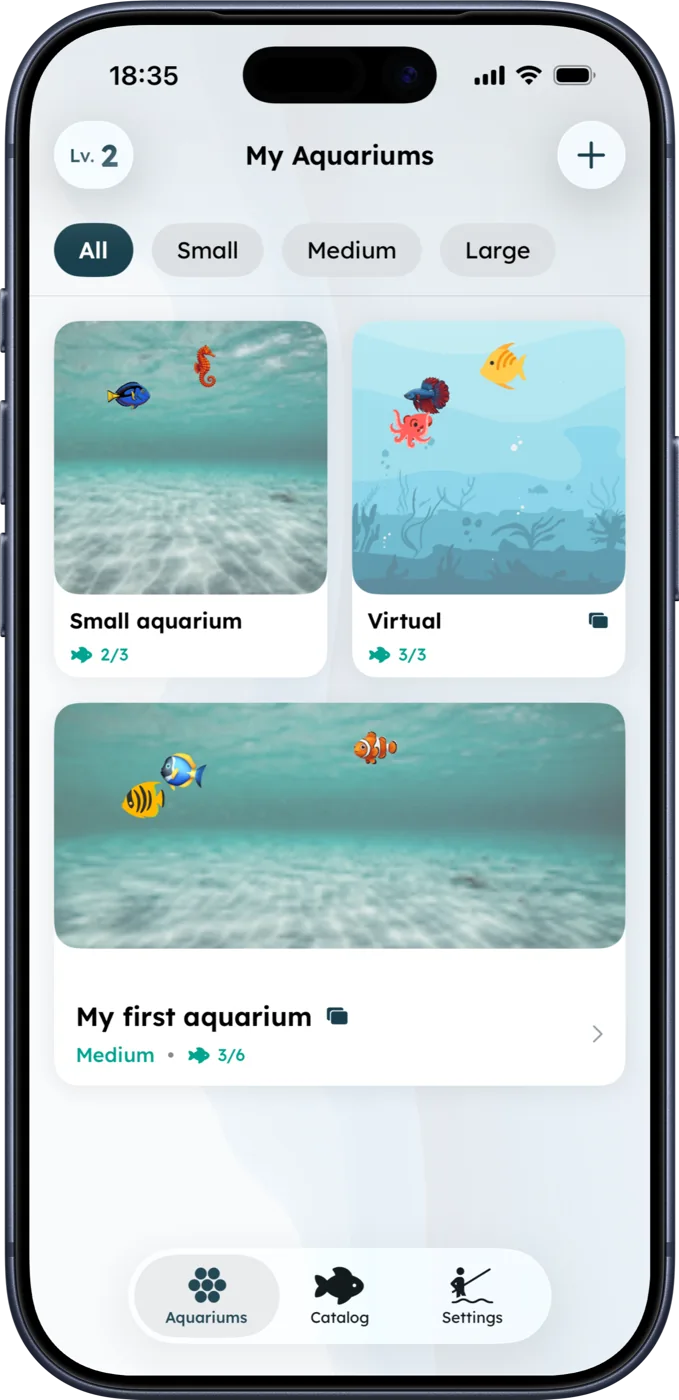
Aquarium Widgets is our app. You build virtual tanks with fish and backgrounds, care for them in the app, and show an aquarium as a Home Screen widget, optionally with a digital or analog clock, the date or a monthly calendar behind the fish. On iOS 27 there is also an extra-large aquarium with room for up to 12 fish. The download is free; every Home Screen widget requires the premium upgrade, sold as a subscription or a one-time purchase. Details are on the App Store listing ↗.
How to choose
- You want a new look in five minutes: use Customize and a new wallpaper.
- You want useful information: start with Widgetsmith or Widgy.
- You want everything to match: try one theme from Color Widgets, ScreenKit or Brass.
- You want movement on your screen: try Aquarium Widgets.
For a closer look at widget apps, read our widget app comparison. To put the pieces together, see iOS 27 Home Screen ideas.
Frequently asked questions
What is the best app to customize an iPhone?
It depends on the job. Widgetsmith and Widgy make widgets, Color Widgets, ScreenKit and Brass offer full themes, and iOS itself can tint icons and set custom icons through Shortcuts.
Can I customize my iPhone without an app?
Yes. The Home Screen Customize menu changes icon styles, the wallpaper gallery builds wallpapers, and Shortcuts can add custom icons for individual apps.
Are iPhone customization apps free?
The apps in this guide are free to download, but many sell extra designs or features. Check each App Store listing for in-app purchases.
Is Aquarium Widgets free?
It is free to download. Showing an aquarium on the Home Screen requires the premium upgrade, sold as a subscription or a one-time purchase.