App comparison
Best Apps for iPhone Duo: Apps That Use the Fold and Split View
The apps Apple showed for iPhone Duo, how to run two apps side by side in Split View, and how to check whether an app is optimized for the inner display.
The best apps for iPhone Duo are the ones built to use the 7.6-inch inner display: Apple’s own apps, plus third-party apps Apple showed at launch such as Netflix, Zoom, Slack and Detail. Start with those, learn Split View so two apps share the screen, and check any other app’s listing before you count on it to fill the open display.
Best apps for iPhone Duo that Apple highlighted
In its iPhone Duo announcement ↗, Apple says its own apps are optimized for the phone and names four third-party apps that already take advantage of the folding design.
| App | What it does on the inner display | Good for |
|---|---|---|
| Apple’s apps | Optimized for iPhone Duo, per Apple | Everything you already use |
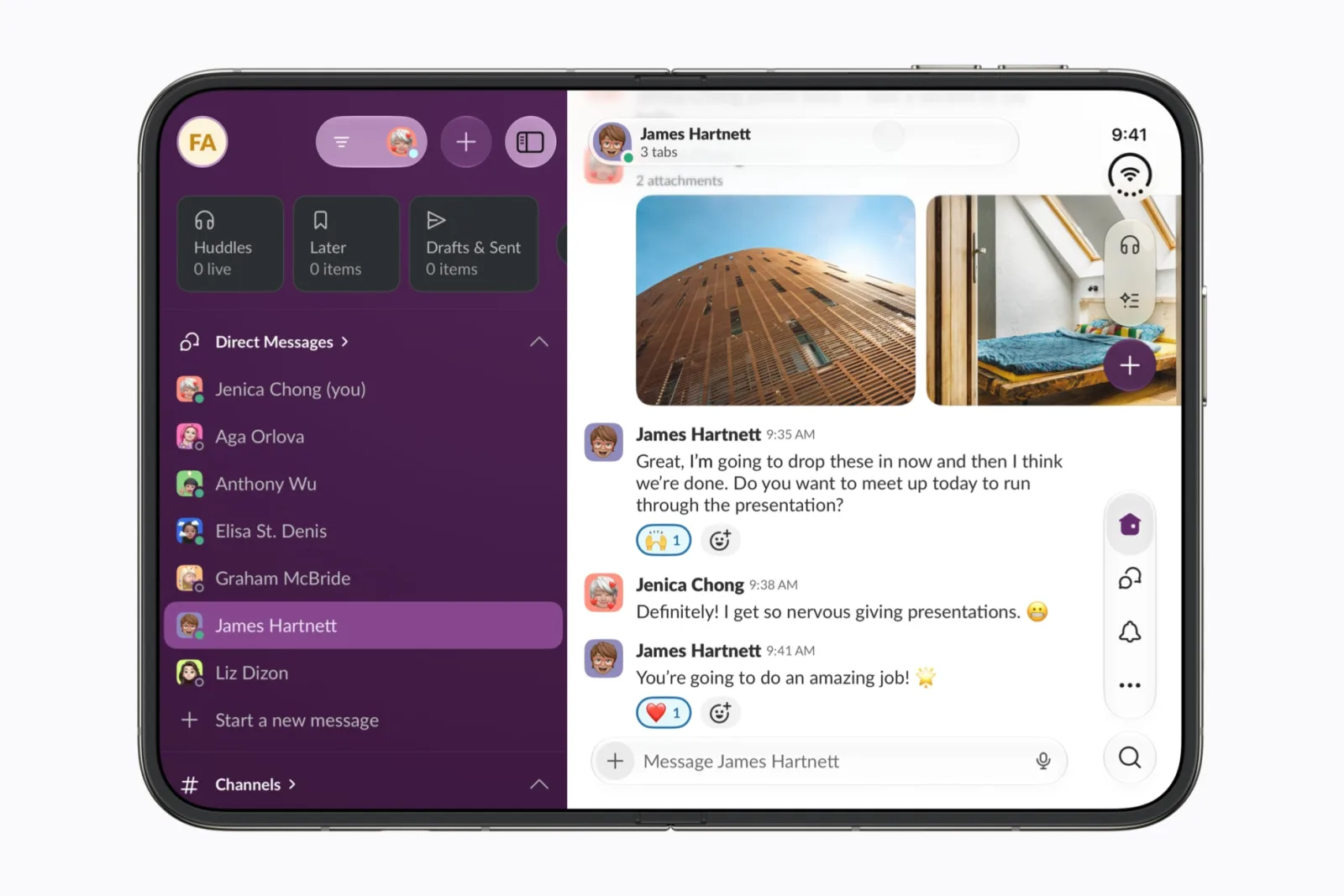
| Slack | Brings the whole workspace into view | Work chat |
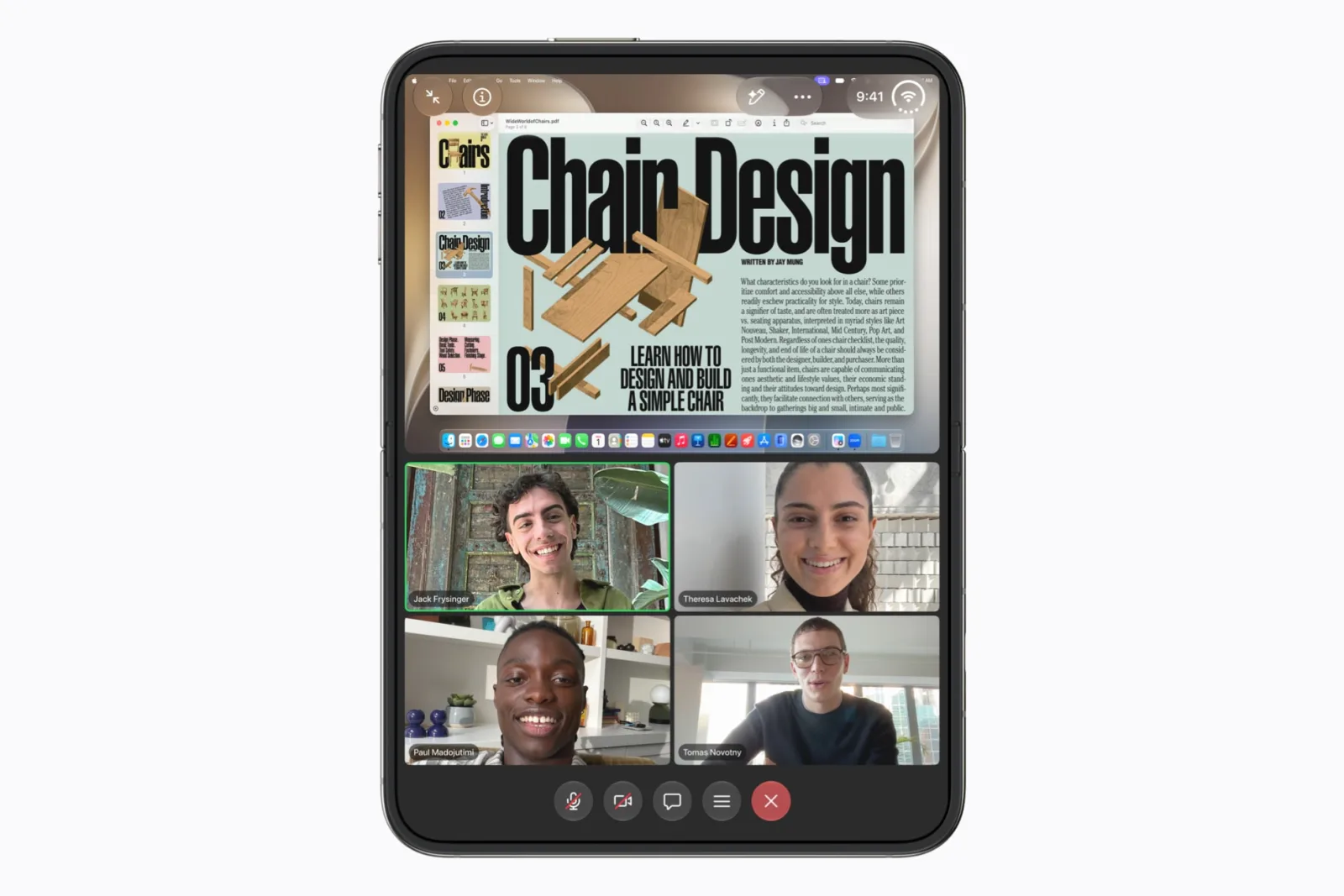
| Zoom | Shows shared content and the people on the call together | Video meetings |
| Netflix | Uses the fold to make finding shows more engaging | Watching shows |
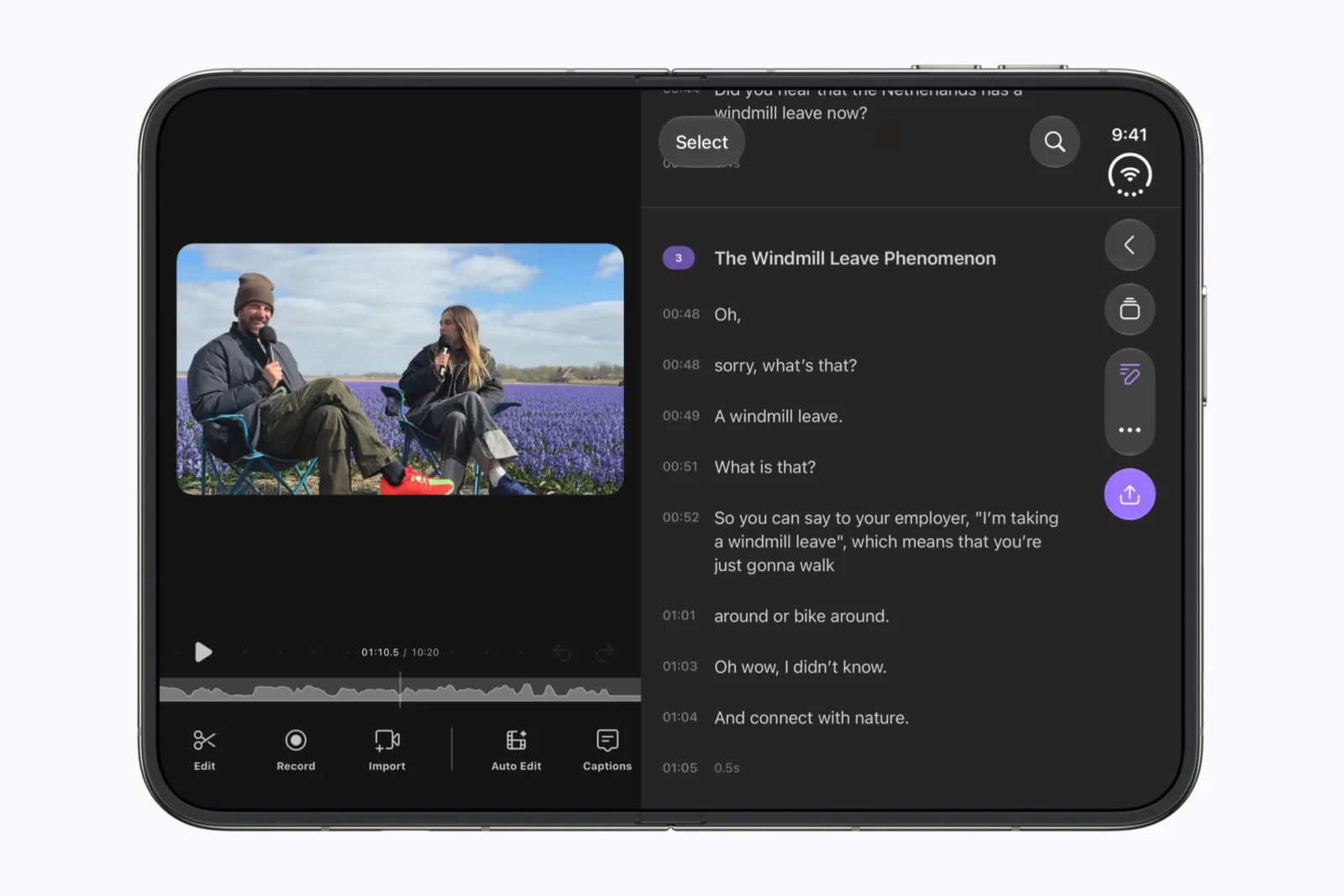
| Detail | Runs its AI models on device for video editing | Creating content |
| Aquarium Widgets (ours) | Aquarium layouts that adapt when you unfold | A calm Home Screen |
Zoom is the clearest example of an app that changes with the fold. In Apple’s example, the open phone shows a shared document on top and the participants below, so you do not have to switch between them.
Use two apps side by side with Split View
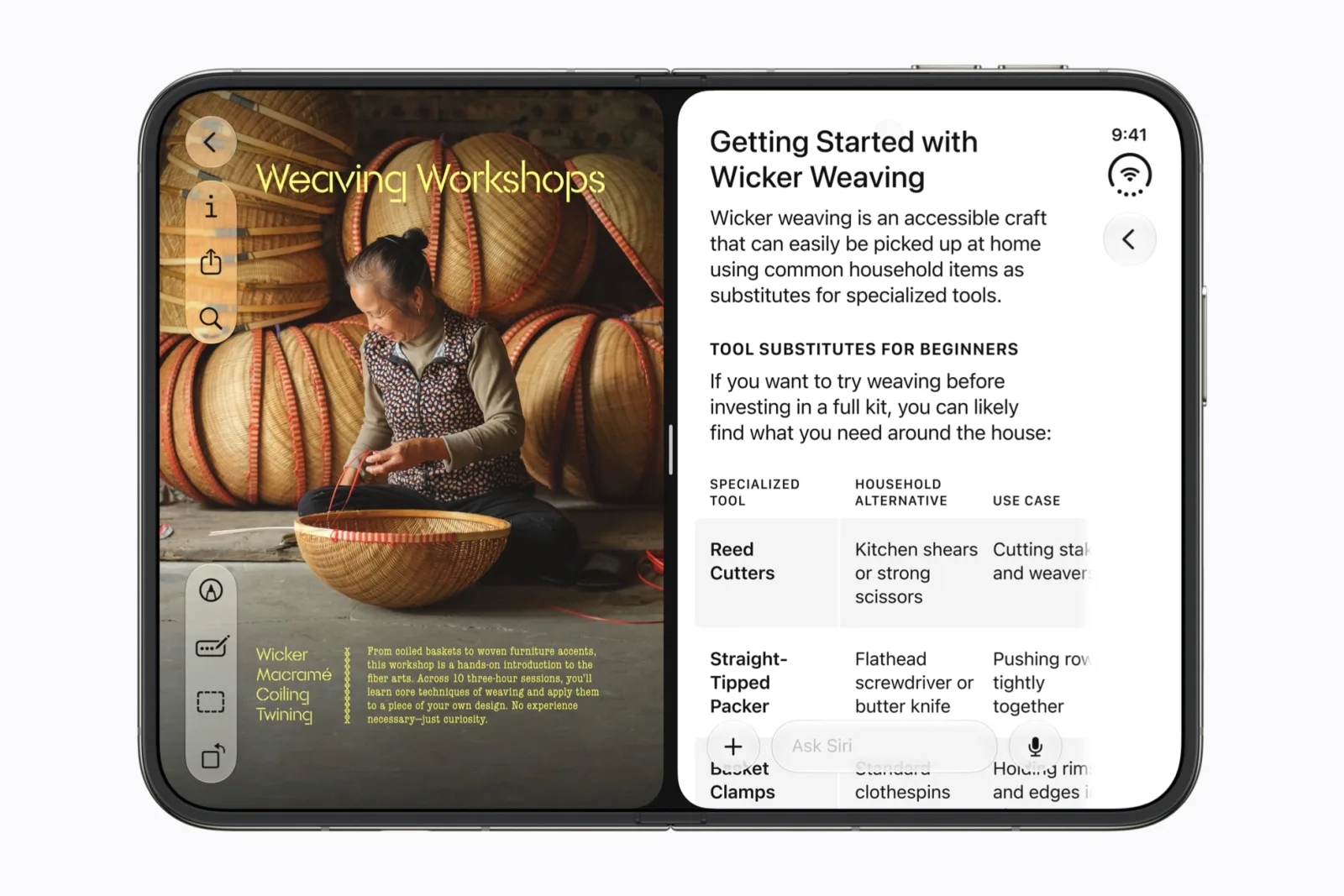
Split View is the feature that makes almost any pair of apps better on iPhone Duo. When the phone is open and held sideways, two apps share the screen equally. These steps come from Apple’s Split View guide ↗:
- Touch and hold an app on the Home Screen or in App Library, then tap Open in Split View.
- Tap the second app you want beside it.
- To make the pair open together next time, tap the divider between them.
- To go back to one app, drag the divider all the way to the left or right edge.
Apps that support multiple windows, such as Mail, Notes, Safari and Files, can also open two windows of the same app side by side. Good pairs to try: Notes with Safari for research, Messages with Photos for sharing, Calendar with Mail for planning.
How to tell if an app is optimized for iPhone Duo
Apple says developers adapt their apps with new APIs in the latest SDKs, so third-party support arrives app by app. Before you rely on an app:
- Check the screenshots: apps updated for the phone often show the open display on their App Store page.
- Read the version notes: look for iPhone Duo in the app’s recent “What’s New” text.
- Try it open and closed: open the app on the outer display, then unfold the phone and see whether the layout uses the extra space.
Apple’s guide to what is new on iPhone Duo ↗ covers the built-in features, including camera previews on the outer display and StandBy on either screen.
Add a living aquarium to the iPhone Duo Home Screen
Aquarium Widgets is our app. Version 1.8.1 added layouts adapted to iPhone Duo that adjust as you unfold the phone and keep your aquariums and edits in place, according to the App Store notes ↗. Add the widget with Apple’s Add Widget steps ↗ and place it on one of the two pages the open display shows. Aquarium Widgets is free to download; putting an aquarium on your Home Screen requires the premium upgrade, sold as a subscription or a one-time purchase.
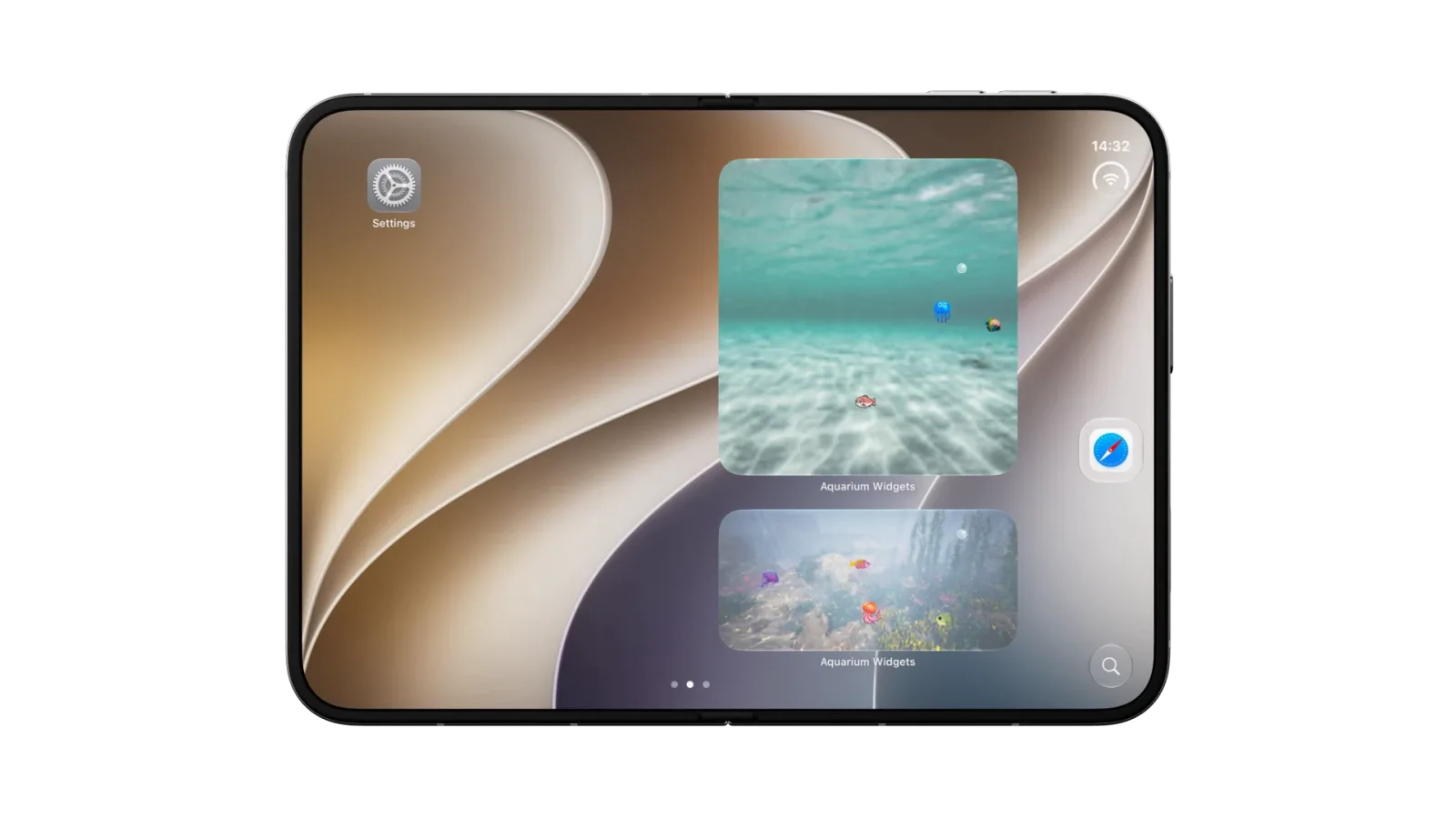
To plan the two pages and Today View, read our iPhone Duo Home Screen guide, and for the new widget size, the extra-large widget guide.
Frequently asked questions
What are the best apps for iPhone Duo?
Apple says its own apps are optimized for iPhone Duo and showed Netflix, Zoom, Slack and Detail using the folding design at launch. Start with those, then check other apps’ listings for iPhone Duo support.
Can iPhone Duo run two apps at once?
Yes. With the phone open and held sideways, touch and hold an app, tap Open in Split View, then choose a second app. The two share the screen equally.
How do I know if an app is optimized for iPhone Duo?
Look at its App Store screenshots and recent version notes for iPhone Duo, then open it on the outer display and unfold the phone to see whether the layout uses the extra space.
Can I keep two apps paired in Split View?
Yes. Tap the divider between the two apps to pair them, and they open together next time. Drag the divider to the edge to unpair them.